
Pensacola News Journal
USA TODAY Co.News & Magazines
3.288.00 Reviews
- Version
- 8.10.3
- Installs
- 10.00K
- Age Rating
- Everyone 10+
Screenshots
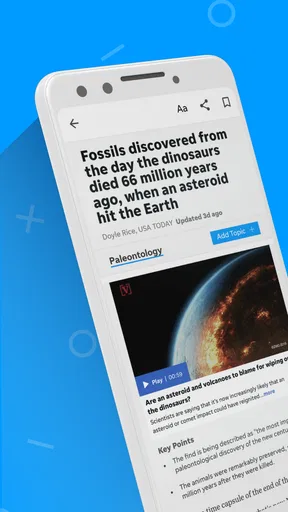

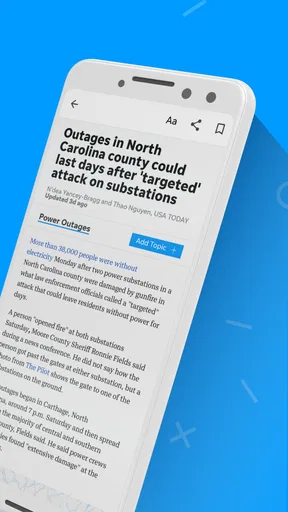

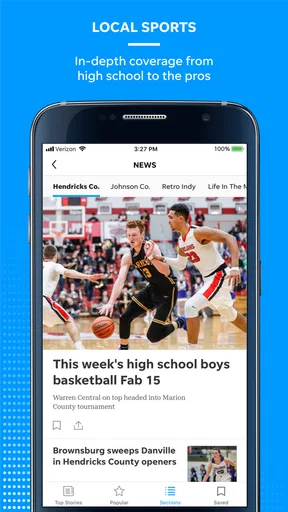
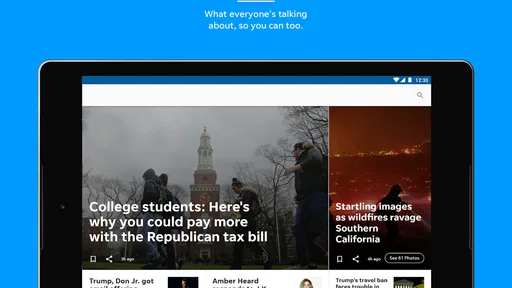

Our Review of Pensacola News Journal
 Analysis by Appyee
When I want local news rather than a broad national feed, I usually begin with a simple question: what is happening around Pensacola that could affect my day? Pensacola News Journal is built for that starting point. It is a free news and magazine app from USA TODAY Co., focused on Pensacola coverage while also bringing in wider reporting, photography, and video. After using it as a daily news companion, I found its main value is not endless browsing; it is the way a local story can move from a quick update to something I can understand and act on.
The app is aimed at readers who want a direct connection to local reporting on a phone. That makes it different from opening a general news aggregator and hoping the right regional story appears. The store description presents it as a place for local and national news, strong photography, and rich video, and that combination is a fair summary of its role. In practice, the local focus is the reason to install it, while the national material makes the app more useful between nearby updates.
From a quick check to a clearer picture
I use a quick check to decide whether a local story deserves more of my attention, rather than treating the first screen as the whole picture. This section looks at how to turn that brief visit into a useful reading routine, including when photography or video adds context and when it is better to save that material for later.
Starting with the situation that matters today
My most natural use case is a busy morning. I may have a few minutes before leaving home and want to know whether a local development deserves attention. Instead of searching several websites, I open the app and scan the current coverage. A headline can tell me that something happened, but the useful part comes when I open the full article and decide whether it changes my plans, gives context to a conversation, or is simply worth remembering.
That workflow works especially well for residents who care about nearby public issues, community events, weather-related developments, local institutions, and stories that national outlets are unlikely to prioritize. It can also help former residents keep a connection with Pensacola. The local angle gives the app a purpose that a generic national news application cannot fully replace.
I would not install it expecting a complete replacement for every source of information. People who mainly want international headlines, market updates, sports from many regions, or a highly customized multi-source dashboard may prefer a broader news reader. This app makes more sense when location and local relevance come first.
Reading beyond the headline
The first step is quick scanning, but the second is selective reading. I try not to treat the opening screen as a complete picture of the day. Instead, I use it to identify one or two stories that deserve time. This is an important habit with any news app, but it matters here because a local headline can carry practical consequences that are easy to miss when I only skim.
Photography adds useful context when the subject is visual. A written description may tell me that a place, event, or incident has changed, while an image can make the situation easier to understand immediately. Video can serve a similar purpose when seeing or hearing the material matters more than reading a short summary. I found these formats most valuable when they support a story rather than distract from it.
There is a trade-off, though. Rich media can make a news session feel heavier than a plain text feed, especially when I only have a moment to check headlines. If I am conserving attention or simply looking for a fast update, I prefer to open the article that answers my question and leave the visual material for later. The app is strongest when I choose the format deliberately instead of consuming everything automatically.
A practical step-by-step routine
My routine with Pensacola News Journal is straightforward. I start with the local stream, identify the headline closest to my immediate concern, open the article, and read enough to understand the basic situation. Then I look for related coverage or a video when the subject needs more explanation. Finally, I decide whether the information is useful for my plans, worth sharing with someone nearby, or simply something to keep in mind.
That last decision is easy to overlook. News apps encourage continuous scrolling, but the better outcome is often a completed task: I learn whether a local issue affects my commute, understand why a community decision matters, or gain enough background to discuss it responsibly. The app supports that workflow better than a random social feed because the starting point is organized around news rather than reactions.
For a household, the workflow can be shared without requiring everyone to follow the same topics. One person might check a local development before work, another might watch a related report later, and a third might read national coverage in the evening. The handoff is conversational rather than technical: the app supplies the material, and people decide what deserves discussion.
Where the handoffs become useful
A local news app rarely ends with reading. Information moves from the screen to a calendar, a conversation, a decision, or another source. In my experience, this is where the publication’s local identity matters most. A national headline may explain a broad issue, but a Pensacola-focused report can provide the nearby detail that tells me why it matters here.
One realistic example is planning a day around a local event or disruption. I might see an initial headline while having coffee, open the article for the details, and then tell a family member that our plans may need adjusting. If the article includes photography or video, those elements can help confirm the setting or explain the atmosphere. The result is not just “I read the news”; it is a small, practical change based on better local awareness.
Another handoff happens when a local story needs broader context. I may read the Pensacola report first, then compare it with national coverage to understand the larger issue. This app is useful as the local starting point in that sequence. A general news service may be better for the second step, especially if I want several viewpoints or extensive national analysis.
I also see value for people who are new to the area. A national feed can make a city feel invisible, while a local publication introduces the subjects that shape everyday life there. The reader still needs judgment, of course. A headline is an invitation to investigate, not a reason to assume every detail is settled.
What the finished result feels like
The best outcome is a short, focused news session that leaves me informed without forcing me to wander through unrelated content. I can begin with a local question, read the relevant report, use visual coverage when it adds clarity, and finish with a reasonable understanding of what happened and why it matters. That is a modest result, but it is exactly the kind of result a local news app should deliver.
The national material gives the experience more range. If there is no local story I need at that moment, I can still browse wider news without switching immediately to another application. I appreciate that convenience, although I would not describe the app as my only source for every subject. Its identity remains strongest when the local reporting is the reason I opened it.
The app is free to install, which lowers the barrier for trying it as a supplement to other news sources. It is intended for readers aged 10 and over, so families may consider it accessible for older children, but I would still guide younger readers through difficult stories rather than handing over an unrestricted news routine. In-app purchases range from $14.99 to $69.99 per item, so anyone considering paid access should pay attention to the purchase screen and decide whether the added value fits their reading habits.
That pricing range also changes how I judge the app. A casual reader who only checks occasional local headlines may be satisfied with the free entry point and may not need to spend anything. A frequent reader should think about how often the app will be used, whether local coverage is central to daily life, and whether a different publication or a general news service offers better value for that person’s needs.
Age, device, and current app details
Pensacola News Journal has been available since August 2, 2012, and the current release is version 8.10.3. It runs on Android 8.0 or later. Those details matter if I am installing it on an older phone, because compatibility is not only about storage; an aging operating system can prevent installation even when the device still handles other apps comfortably.
The app has passed 10 thousand installs, with a 3.2 average from 201 ratings and 88 written reviews. I read that as a sign to keep expectations measured. It is not a universally loved application, and the rating suggests that some readers encounter friction. At the same time, ratings alone do not tell me whether the issue is the journalism, the interface, subscription expectations, device performance, or a mismatch between the reader and the local focus.
For my decision, the important point is that the app should be judged against its purpose. If I live in or closely follow Pensacola, the local connection may outweigh a less polished moment in the reading experience. If I have no interest in that area, the same focus becomes a reason to skip it rather than a strength.
Where the flow breaks
The first possible break is relevance. A reader who wants a personalized stream assembled from many publishers may find this app narrower than expected. The local emphasis is its reason to exist, but it also limits its usefulness for someone who wants one universal news dashboard. I would choose a broader aggregator for that job.
The second break is attention. News with photography and video can be more engaging, but it can also turn a quick check into a longer session. When I only need one fact, I have to resist the temptation to keep browsing. That is not a flaw unique to this app, but the mix of formats makes the boundary more noticeable.
The third break is the paid-access decision. Because in-app purchases can be substantial, I would not tap through a purchase casually. I would first use the free experience, identify how often the local coverage helps me, and then consider whether the purchase is justified. Someone who reads one article every few weeks should be especially cautious; someone who depends on local reporting throughout the week may see more practical value.
A fourth break is trust and interpretation. No single publication should be the only place I go for major or complicated news. I use the app to find local reporting, then compare important claims with other reputable sources when the consequences are serious. That extra step is particularly worthwhile when a story affects health, safety, money, or a decision involving other people.
Who should use it, and who should pass
I recommend it to Pensacola residents who want local reporting close at hand, people returning to the area who want a convenient connection, and readers who appreciate moving between written stories, photography, and video. It is also a sensible companion for someone who already follows national news elsewhere but wants a local layer that broad services often miss.
I would pass if my main goal is a worldwide news digest, a heavily customizable feed, or a single application centered on specialist subjects. I would also hesitate if I know I will not read local coverage often enough to justify possible in-app spending. In those cases, a free general news reader or the websites of several preferred publications may fit better.
My final impression is positive but specific: this is a local-news tool first, not an all-purpose information machine. Its strongest workflow begins with a Pensacola question, continues through a carefully chosen article and supporting media, and ends with a clearer decision or conversation. The free installation makes it easy to test, while the middling rating and paid options are good reasons to evaluate it at your own pace.
If local relevance is what I am missing from my current news routine, I would give Pensacola News Journal a try. I would keep another source for broader coverage, read beyond the first headline, and treat paid access as a considered choice rather than an automatic upgrade. Used that way, it can turn a few spare minutes into a more grounded understanding of what is happening close to home.
Verdict
Strengths of Pensacola News Journal
- Covers local Pensacola and Northwest Florida stories in one place.
- Offers timely updates on breaking news and community developments.
- Includes local sports coverage, including teams and school events.
- Digital edition provides access to the newspaper’s broader daily content.
- Useful for staying informed about local politics, weather, and public safety.
Limitations of Pensacola News Journal
- Some articles may require a subscription or offer limited free access.
- Advertising and promotional content can make navigation feel cluttered.
- Coverage is primarily regional and may feel narrow for national news readers.
- Breaking-news notifications may become frequent or distracting.
- App performance and content availability can vary with internet connectivity.
Other Releases by USA TODAY Co.
View All
IndyStar: Indianapolis Star
News & Magazines2.7

AZ Central: Arizona Republic
News & Magazines2.5

The Detroit News: Local News
News & Magazines3.1

Detroit Free Press: Freep
News & Magazines3.0
Similar Picks in This Category
View All
Google News - Daily Headlines
Google LLC4.0

X
X Corp.4.8

Flipboard:Your Social Magazine
Flipboard3.4

Opera News: breaking & local
Opera4.5

Hindi News by Dainik Bhaskar
Dainik Bhaskar Group4.0

Way2News Daily News App
Way2News ( Formerly Way2SMS )4.6
Frequently Asked Questions
What is the Pensacola News Journal app?
The Pensacola News Journal app is a mobile news platform focused on Pensacola, Escambia County, Santa Rosa County, and the surrounding Northwest Florida area. It provides access to local reporting, breaking news, community updates, sports, weather, opinion pieces, and other stories from the newspaper. The app is designed for readers who want regional coverage in a convenient format while using an Android or iOS device.
Is the Pensacola News Journal app free to download and use?
The app can generally be downloaded at no cost, allowing users to browse the application and read some available content. However, access to the full catalog of articles and premium features may require a digital subscription or an existing newspaper subscription. Before downloading, users should review the current pricing, trial terms, and subscription conditions shown in the relevant app store or within the application.
What type of news can I read in the Pensacola News Journal app?
The application focuses primarily on local and regional journalism. Depending on the current edition and available features, readers may find breaking news, local government coverage, crime reports, education updates, business stories, sports, entertainment, weather information, opinion articles, and community announcements. It is particularly useful for people who want news connected to Pensacola and nearby Northwest Florida communities rather than only national headlines.
Does the Pensacola News Journal app require a subscription?
A subscription may be necessary to read beyond the app’s free articles or to unlock the complete digital newspaper experience. The exact access model can change, with options sometimes including monthly or annual plans, introductory offers, or access bundled with a print subscription. Users should check the subscription screen carefully for renewal details, billing frequency, cancellation rules, and whether one account works across the newspaper’s digital services.
Can I receive breaking news and customize the Pensacola News Journal app?
The app may support notifications for breaking news, important local developments, weather-related information, and other selected topics, although available controls can vary by device and app version. After installation, users should review notification settings and choose only the categories they want to follow. Some versions may also offer saved articles, personalized sections, or other reading tools, so exploring the settings is worthwhile before regular use.
